OpenAI · Images

GPT Image 2.5 — image generation and editing

Image generation and editing. Modes: generation, editing. See supported settings and current cost below. Start a request separately in the studio.

Tryfrom 3 credits per image

AstraGPT is an independent service. The models are made by their developers; we give access to them through our studio and aren’t affiliated with those companies.

Examples
Bakery chalkboard sign (medium quality)
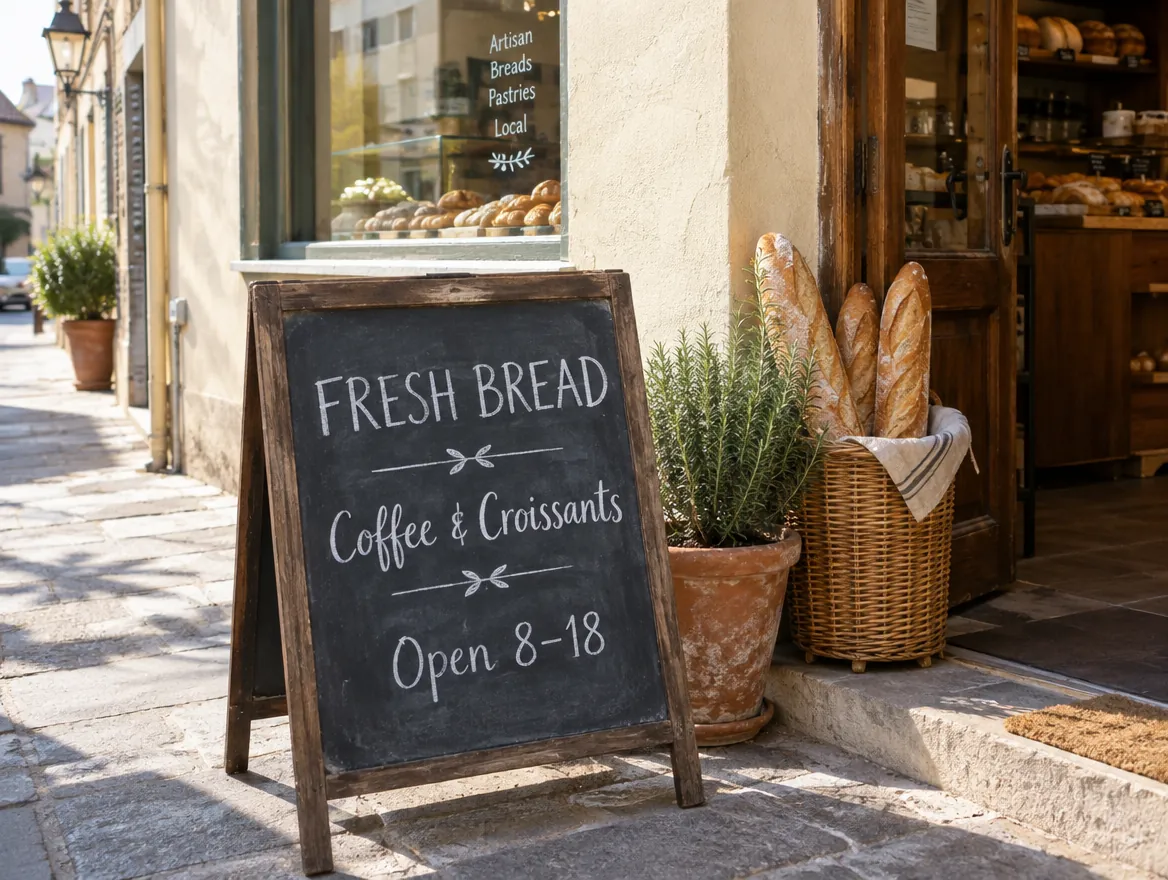
Bakery chalkboard sign (medium quality)Model: GPT Image 2.5Prompt: A hand-lettered chalkboard sign on the sidewalk in front of a small bakery on a sunny morning. The chalk text reads exactly: "FRESH BREAD" on the first line, "Coffee & Croissants" on the second line, "Open 8–18" on the third line. Warm sunlight, cream-colored wall, a wicker basket of baguettes by the door, potted rosemary. Lifelike street photo, 35mm, true-to-life colors, no neon.
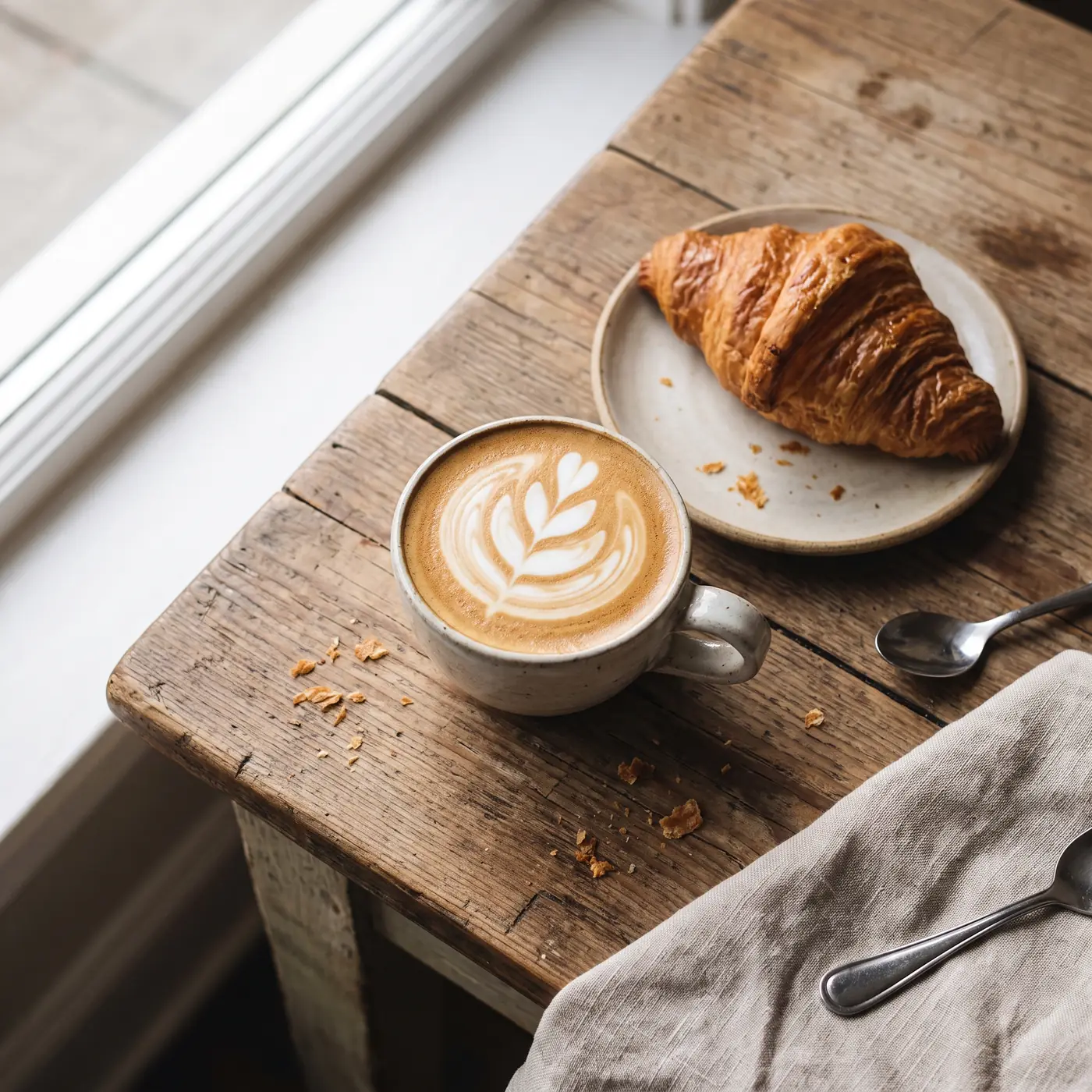
Before: Edit: heart latte art and an almond croissantBefore
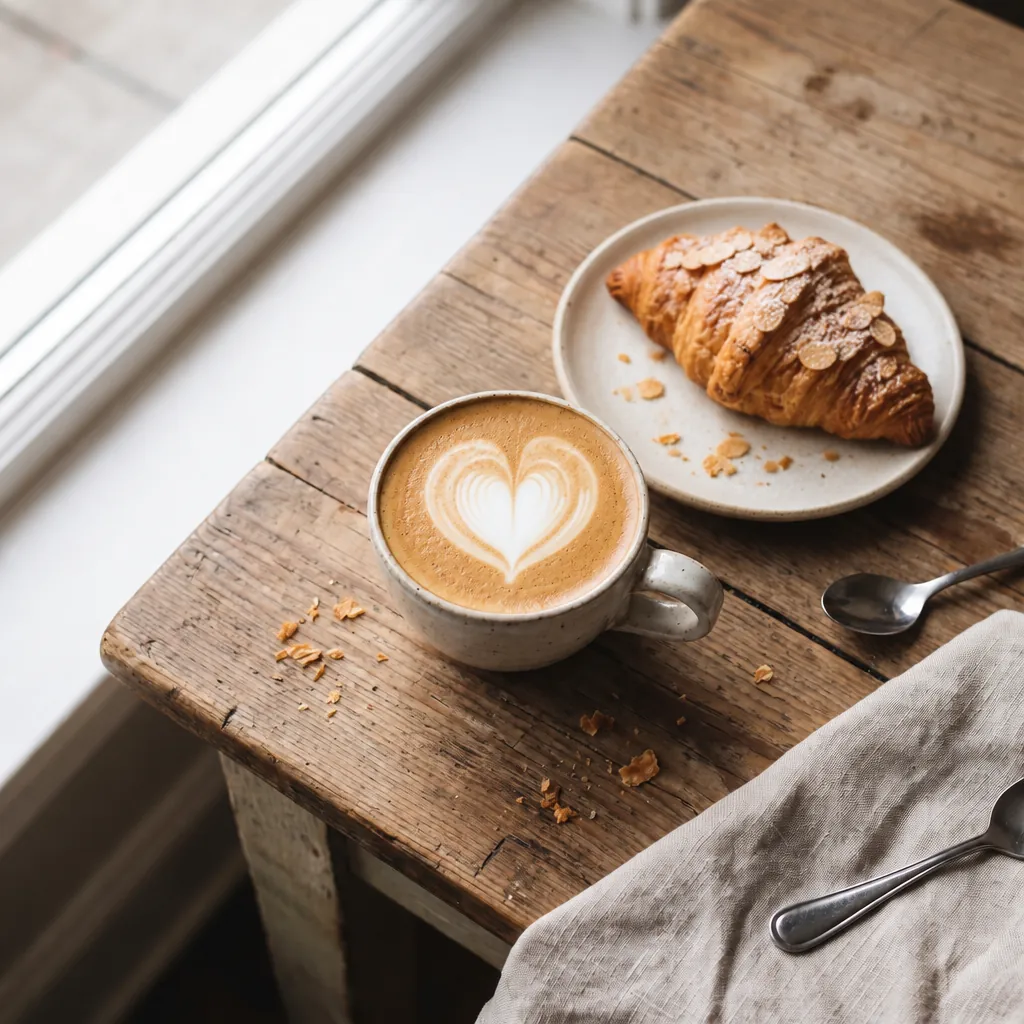
Edit: heart latte art and an almond croissantAfter
Edit: heart latte art and an almond croissantModel: GPT Image 2.5Before: Nano Banana ProPrompt: Edit this photo: turn the latte art into a heart and add a small almond croissant on a white plate next to the cup. Keep the same cup, table, camera angle and morning light. No text.
Breakfast on the balcony
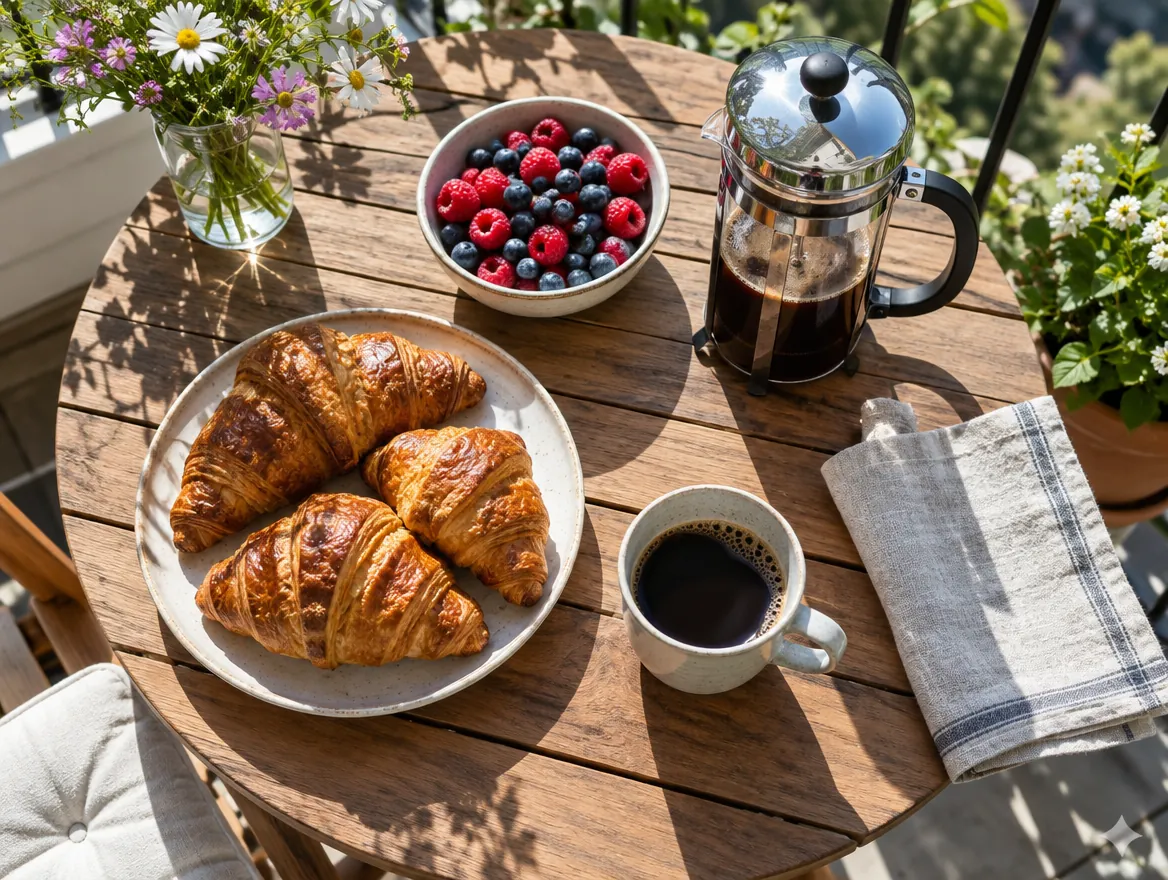
Breakfast on the balconyModel: GPT Image 2.5Prompt: Overhead photo of a breakfast table on a sunny balcony: fresh croissants, a bowl of raspberries and blueberries, a glass French press with coffee, a folded linen napkin, morning sunlight and soft shadows, realistic photography, no text, no logos

Capabilities

Aspect ratios
1:1, 3:2, 2:3, 4:3, 3:4, 16:9, 9:16, 21:9, Auto
Quality
low, medium, high, xhigh, max
Reference images
16
Images per run
10
Transparent background
yes

Prices

GPT Image 2.5from 3 credits per image

Prices are in credits. The total for a generation shows on the button before you start.

Prices and capabilities checked against the studio catalog on November 22, 2026

How to start

  1. Open the image studio and select GPT Image 2.5.
  2. Describe the subject, setting and style; add a source image only when the selected mode accepts it.
  3. Choose the available format and resolution, check the price on the button, then confirm the request.

What our verified examples show

The verified results cover a bakery sign with specified lettering, a breakfast photograph and a latte edit that preserves the cup, table and camera angle.

Inputs and limits

The catalog allows up to 16 references and 10 outputs in one run. Always proofread lettering and inspect preserved details after an edit.

How to choose

Choose GPT Image 2.5 when lettering or transparent-background options in the studio matter. Choose Nano Banana Pro when its larger reference set or resolution choices fit the brief.

FAQ

Are the examples on this page made with GPT Image 2.5?
Yes. Every displayed result has a saved generation record for this exact model and shows its original prompt.
How much does GPT Image 2.5 cost?
from 3 credits per image. The total depends on the selected settings and appears on the button before launch.
When should I choose GPT Image 2.5?
Choose GPT Image 2.5 when lettering or transparent-background options in the studio matter. Choose Nano Banana Pro when its larger reference set or resolution choices fit the brief.