Google · Images
Nano Banana 2 — image generation and editing
Image generation and editing. Modes: generation, editing. See supported settings and current cost below. Start a request separately in the studio.
Tryfrom 8 credits per image
AstraGPT is an independent service. The models are made by their developers; we give access to them through our studio and aren’t affiliated with those companies.
Examples
Capabilities
- Resolution
- 512, 1K, 2K, 4K
- Aspect ratios
- 1:1, 1:4, 1:8, 2:3, 3:2, 3:4, 4:1, 4:3, 4:5, 5:4, 8:1, 9:16, 16:9, 21:9
- Reference images
- 14
- Images per run
- 1
- Transparent background
- no
Prices
| 512 | 8 credits |
|---|---|
| 1K | 8 credits |
| 2K | 15 credits |
| 4K | 30 credits |
Prices are in credits. The total for a generation shows on the button before you start.
Prices and capabilities checked against the studio catalog on November 2, 2026
How to start
- Open the image studio and select Nano Banana 2.
- Describe the subject, setting and style; add a source image only when the selected mode accepts it.
- Choose the available format and resolution, check the price on the button, then confirm the request.
What our verified examples show
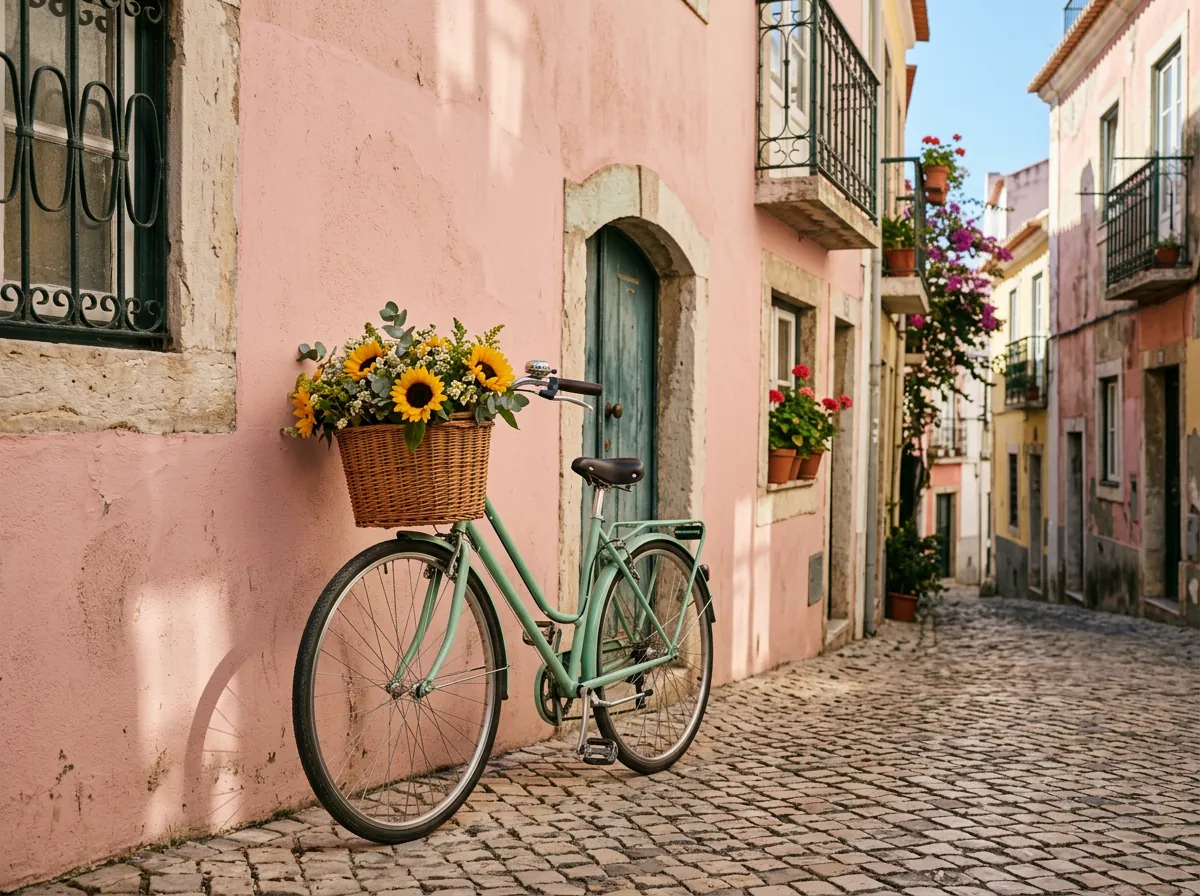
The verified result is a realistic Lisbon street photograph with a mint bicycle and sunflowers. Its prompt is shown unchanged beside the image.
Inputs and limits
The live catalog offers 512, 1K, 2K, 4K and up to 14 references. Very wide formats still need a composition brief that says where the subject should sit.
How to choose
Choose Nano Banana 2 for its extra narrow and wide aspect ratios. Choose Nano Banana Pro when the Pro resolution set is the deciding requirement.